

JELIO · Integrated Systems
Router-Saw Depaneling: Fixture & Toolpath Video
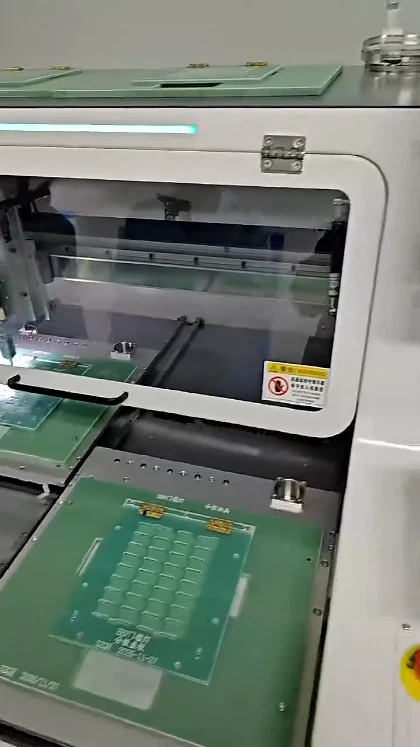
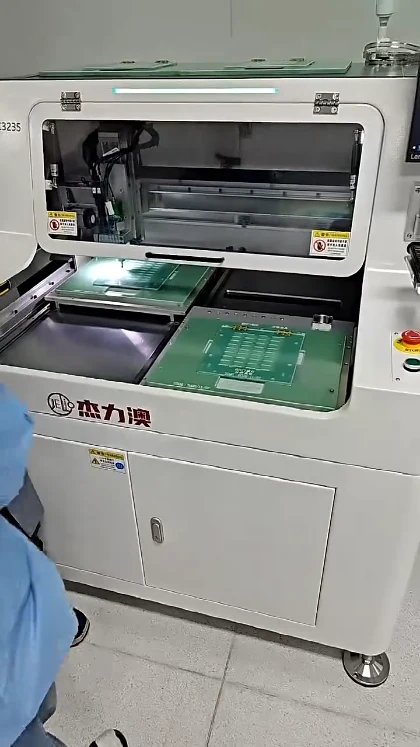
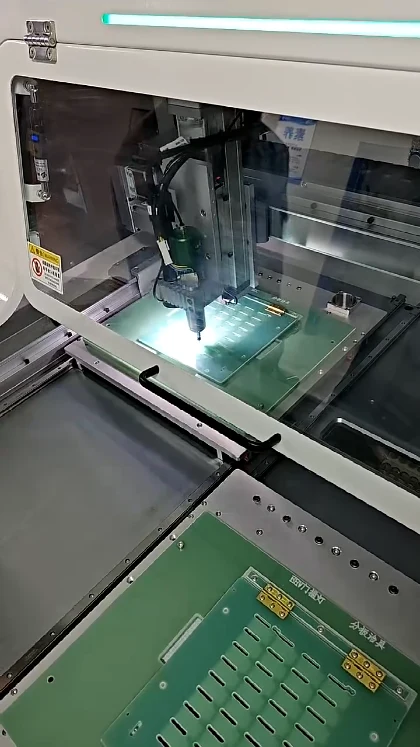
This JELIO video brings the camera close to a depaneling fixture, slotted green panels and the spindle working area. Published in the original video library as “Router & Saw Integrated PCB,” it is a useful starting point for discussing the support and route needed for a particular panel. Follow the board positions and tool movement, then compare the integrated systems catalog for the cutting functions and tool ranges available in current products. This page links the footage to related offline and inline platforms, with their original specification values and a buyer workflow focused on panel geometry, fixture access and production-line handoff.
Video playback is temporarily unavailable. Open the original video or contact JELIO.
DIRECT ANSWER
What should you compare when selecting a router-and-saw PCB depaneling machine?
Compare the panel envelope, the contours assigned to milling, the straight cuts assigned to the saw and the handling arrangement around the fixture. JELIO’s related integrated product tables list milling and saw tool ranges separately. Use the close-up video to frame fixture-access questions, then match the machine configuration to the panel drawing and the required production-line handoff.
Read the fixture layout before choosing a tool
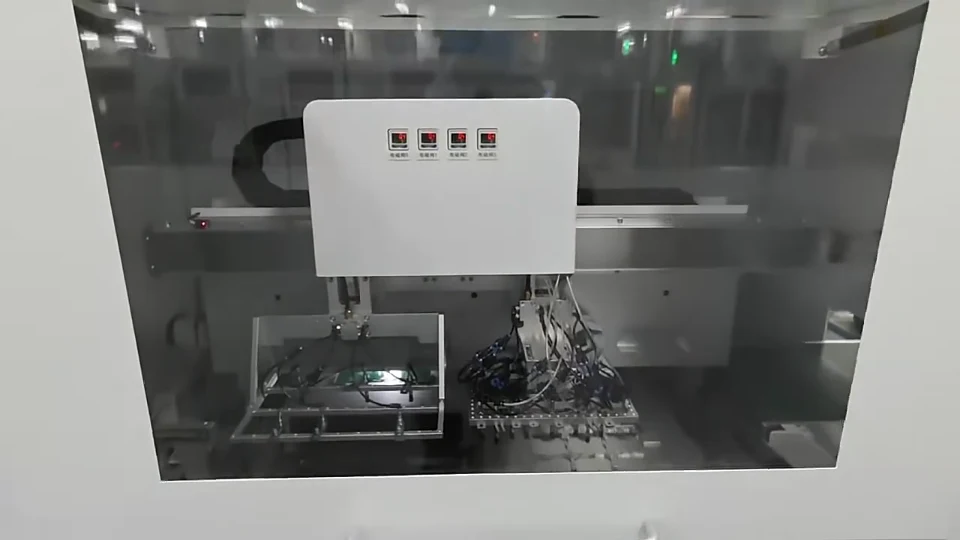
The video moves between the loading-side fixture and a close-up of the spindle over the panel. Slotted features and locating supports are visible, giving process engineers a useful view of the working area. Watch the space between the tool, the supported panel and the edge of the fixture when planning the questions for a sample review.
The related router-and-saw product page lists straight, L-shaped, U-shaped, circular and arc milling functions, while the saw function is listed as a straight line. Start by marking those different route requirements on your drawing. The inline integrated platform is a separate option to review when the incoming and outgoing board flow must be considered together with separation.
Three moments from this video
CURRENT JELIO CATALOG
Related Products
Explore the following equipment pages for model-specific configuration details.
Related product
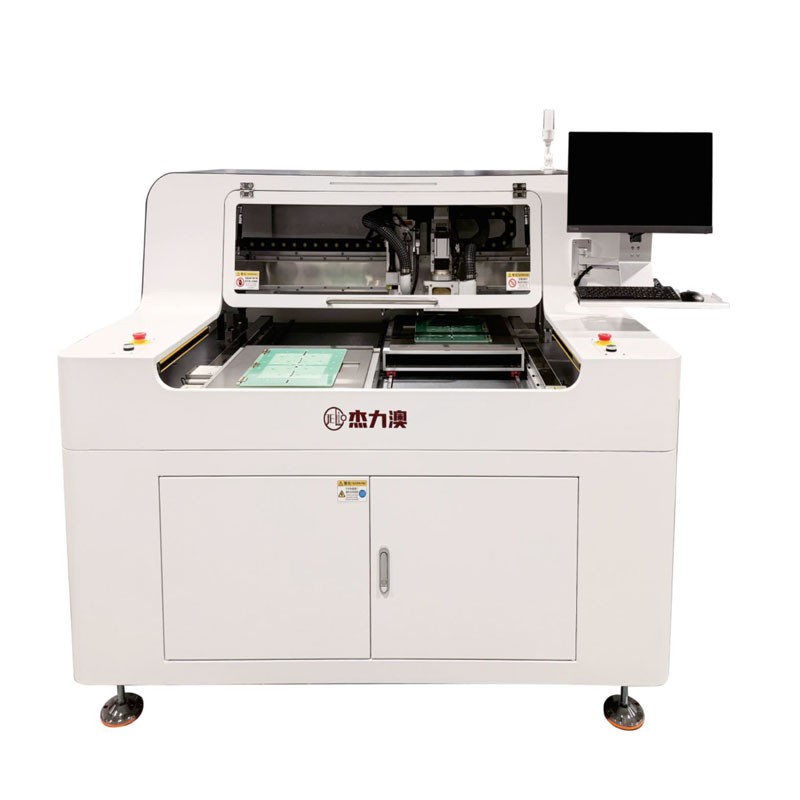
JLO-CXJ3235/JLO-CXJ4550
Review separate milling and saw functions and two published envelope options.
View product & specifications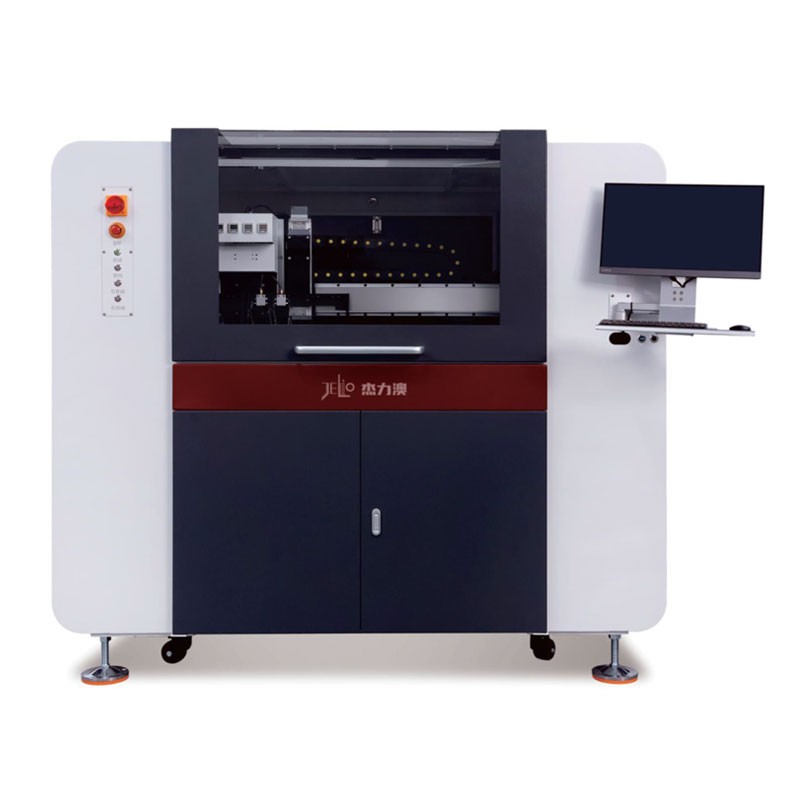
Related product
JLO-CXJ3235
Compare the inline platform when board transfer is part of the selection.
View product & specificationsRELATED PRODUCT SPECIFICATIONS
Technical Specifications
Source: JLO-CXJ3235/JLO-CXJ4550. These are the published specifications for this related catalog product.
| Parameter | Published value |
|---|---|
| Model | JLO-CXJ3235/JLO-CXJ4550 |
| Max. PCB Depaneling Size | 320mm(X)*350mm(Y)(per station)/450mm(X)*500mm(Y)(per station) |
| Cuttable PCBA Thickness | 0.5~4mm |
| Milling Cutter Tool Range | φ0.5~3mm |
| Saw Blade Tool Range | Saw blade thickness:0.3mm; diameter:100mm |
| Spindle Speed | Milling cutter:60000rpm; Saw blade:8000rpm |
| Milling Cutter Cutting Function | Straight line, L-shape, U-shape, circle, arc, etc |
| Saw Blade Cutting Function | Straight line |
Offline and inline integrated platforms: published differences
| Decision point | JLO-CXJ3235/JLO-CXJ4550 | JLO-CXJ3235 |
|---|---|---|
| Catalog model | JLO-CXJ3235/JLO-CXJ4550 | JLO-CXJ3235 |
| Panel envelope | 320mm(X)*350mm(Y)(per station)/450mm(X)*500mm(Y)(per station) | 320mm(X)*350mm(Y) (Single Station) |
| Milling tool range | φ0.5~3mm | φ0.5~3mm |
| Saw blade tool range | Saw blade thickness:0.3mm; diameter:100mm | Saw blade thickness:0.3mm; Diameter:100mm |
| Dust collection | Upper dust collection | Top follow-up dust collection |
RECOMMENDED BUYER WORKFLOW
Turn a panel drawing into a cutting-method review
- 01
Identify route segments
Separate straight cuts from shaped contours on the drawing.
- 02
Review tool access
Check milling diameter, saw access and nearby components.
- 03
Plan the fixture
Identify support and locating points around the separation sequence.
- 04
Choose board handling
Discuss an offline station or line-integrated transfer with the quotation.
Choose a configuration for your panel
A mixed-route panel may need a different discussion from a panel with straight cuts only. Show the final board outline, remaining tabs and the location of components near the cut. Ask the engineering team to review the order of operations together with the support points, especially where the last connection holds a separated board.
The comparison table keeps each platform’s published data attached to that platform. Bring your line direction, transfer height requirements and downstream operation into the customization discussion. For the production strategy behind that choice, see the inline versus offline guide.
Frequently asked questions
What does this close-up help a buyer evaluate?
It helps you discuss fixture layout, panel support and access around the spindle area. Use it with a panel drawing when reviewing a similar setup.
Which cut shapes are listed for the related milling function?
The JLO-CXJ3235/JLO-CXJ4550 table lists straight line, L-shape, U-shape, circle and arc functions for the milling cutter.
What is the related product’s saw cutting function?
The product table lists straight-line cutting for the saw blade. Its blade tool range is shown separately from the milling cutter range.
When should I compare an inline system?
Compare the inline platform when the depaneling station must work with incoming and outgoing board transfer. Share the line layout and handoff requirements during configuration review.
Can I request a review of a mixed milling-and-saw panel?
Send the board drawing with the intended contours, straight cuts, component clearances and sample requirements. JELIO technical support can discuss the sample-cutting and inspection scope.
Related Videos & Guides
 0:33
0:33Router-Saw Depaneling: Vacuum Board Transfer Video
Integrated Systems
 0:57
0:57PCB Depaneling: Small-Tab Routing Close-Up
Router / Milling Depaneling
NEXT STEP
Compare an integrated configuration
Share your panel drawing and application requirements with the JELIO team.