

JELIO ENGINEERING INSIGHTS
Manual vs. Automatic Tool Change for PCB Routing
Choosing PCB router automatic tool change starts with the replacement workflow, not the word “automatic” on a quotation. The buyer needs to know how the cutter is selected, exchanged, checked and returned to an approved cutting program. This guide helps maintenance engineers, process teams and procurement compare manual replacement with an automatic option using the actual JELIO catalog. It separates the JLO-C4980 manual specification from the optional automatic tool change listed for JLO-C3532 / JLO-C5045, then turns that distinction into demonstration requests and handover records. Use it to agree responsibilities and acceptance evidence before deciding which configuration suits your production pattern.
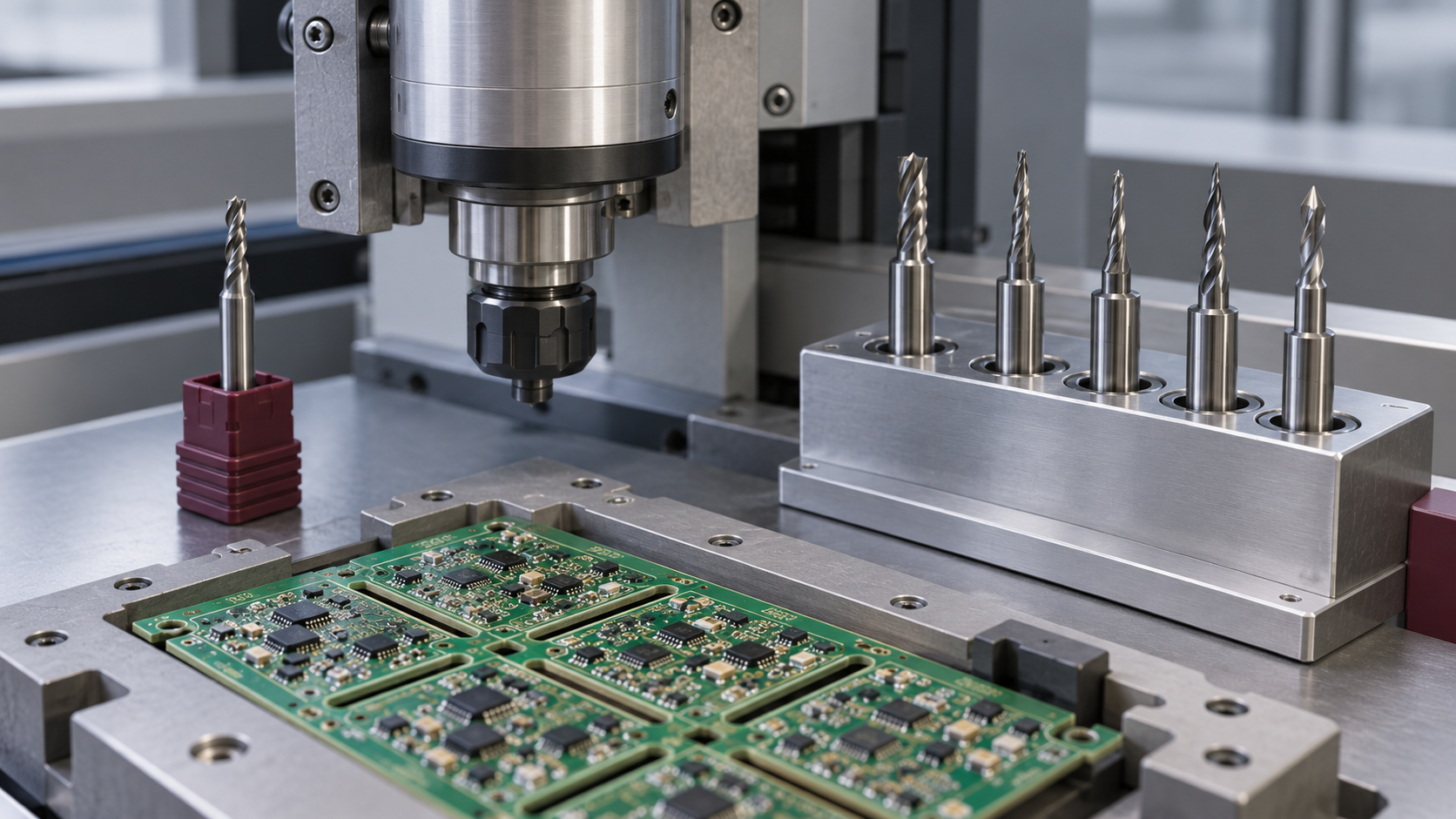
When should you choose automatic tool change for PCB routing?
Consider automatic tool change when recorded replacement interruptions and the required production workflow justify the option. Compare the complete exchange, verification and restart sequence against a controlled manual process. JELIO lists automatic tool change as optional for JLO-C3532 / JLO-C5045 and manual replacement for JLO-C4980. Confirm the quoted configuration and demonstrate normal replacement and fault recovery before accepting the system.
1. Separate exchange, tool management and verification
A tool-life counter records or controls how a cutter is used. A changer physically replaces the tool. Verification establishes that the intended cutter and setup are ready for the next approved cut. Treat these as separate questions in a specification review. A product can describe cutter-life management while still specifying manual replacement; the two statements are compatible.
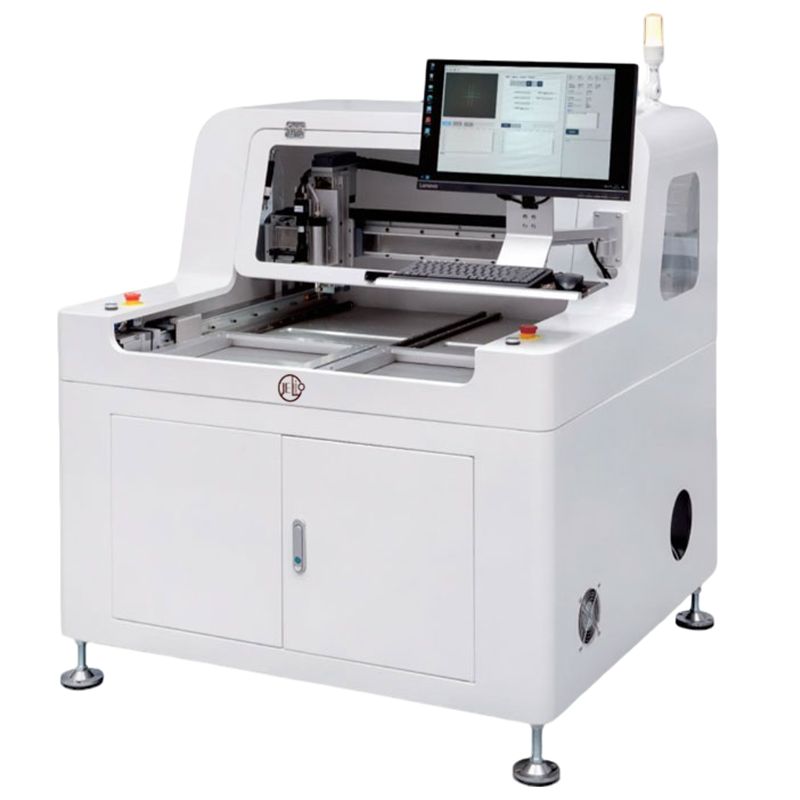
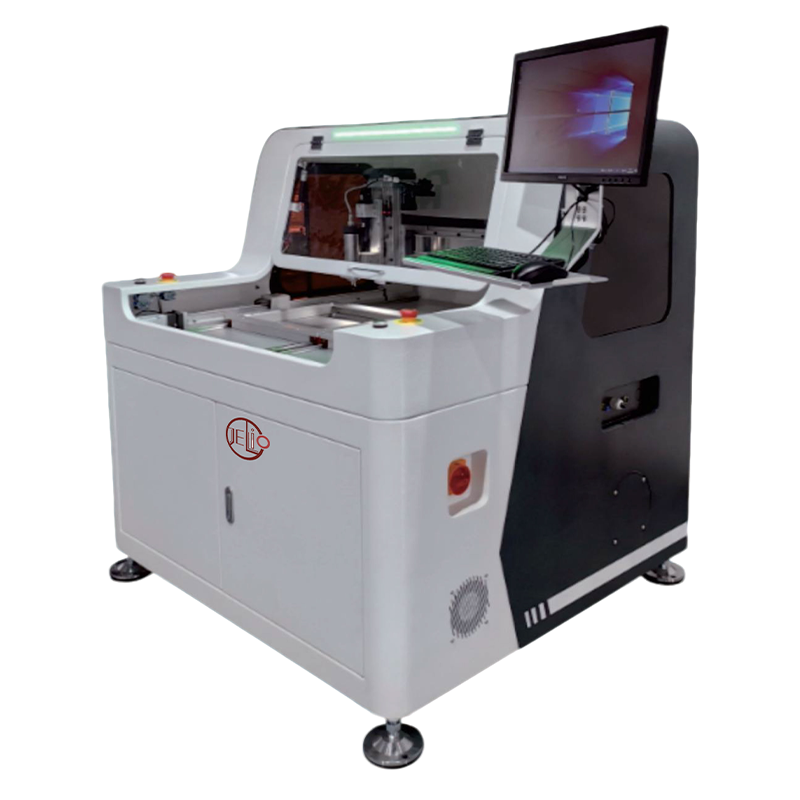
The JLO-C4980 page illustrates this distinction: it lists manual tool change and also describes tool-usage management. The JLO-C3532 / JLO-C5045 page lists manual replacement with automatic tool change optional. Keep those exact model scopes in the comparison. An automatic option on one family is not a standard feature of every JELIO router.
The existing manual and automatic tool-change FAQ provides the short introduction. This guide adds the configuration and acceptance worksheet: create separate quotation lines for the exchange method, available checks and operator responsibilities. Identify included functions, options and work-instruction tasks so procurement compares packages with the same responsibilities.
2. Define what a controlled manual replacement includes
For manual replacement, ask the supplier to demonstrate the approved stop and access procedure using the machine’s operating instructions. The work instruction should identify the replacement part and the authorized person, then cover the prescribed checks before production resumes. This article is a buying and acceptance guide; the model-specific instructions govern safe maintenance and access to the equipment.
Record the tool identification, relevant program and life-counter action in the handover sheet. Establish how the next operator knows that a replacement has been completed and which sample or first-board check is required by your quality procedure. A cutter physically installed in the spindle is only one part of the restart decision.
Manual replacement can remain a candidate when the recorded intervention pattern and trained operator availability fit the production requirement. Make that decision from observed work, not an assumed small-batch label. Capture the time spent waiting for access or authorization separately from the physical exchange so the team can see which part of the interruption it actually wants to address.
3. Specify the automatic option as a complete workflow
For an automatic proposal, ask what initiates replacement, how the intended tool is assigned and what must be ready before the exchange starts. Request the approved tool interfaces, loading procedure and any consumables or spare components needed for the quoted arrangement. Have the supplier describe the actual hardware and software offered, rather than filling gaps with assumptions from another machine.
Ask for a normal replacement demonstration and an explanation of the operator tasks that remain. Tool stock still needs a defined replenishment and identification process. Record the response when the expected tool is unavailable or a check rejects the setup. These are acceptance scenarios to discuss with the supplier, not claims that every proposed changer has a particular sensor or magazine design.
GENITEC’s GAM 336AT documentation lists automatic tool change alongside other machine functions. ASYS’s July 8, 2026 technosert report similarly discusses exchange within a wider monitored process. Those are supplier-specific examples. For JELIO, use the option status and actual quoted functions to define the demonstration; do not import another supplier’s monitoring, capacity or runtime claims.
4. Measure the complete interruption before judging the option
Use the same definition of an interruption for both proposals. Start at the point the approved production cycle is interrupted and finish when the agreed restart check allows production to continue. Record waiting, exchange, verification and first-board disposition as separate stages. This produces a useful comparison even when the dominant delay is coordination or inspection rather than physical replacement.
Keep planned replacement separate from abnormal recovery. A worn tool changed at an agreed point, a job change requiring another approved cutter and an unexpected tool-related stop are different events. Record the reason and work order for each. Combining them into one unexplained average can conceal the exact scenario an automatic option is intended to improve.
Ask procurement to compare the option price and its maintenance requirements against actual intervention records. Include replenishment, training and support responsibilities in that scope. Without application observations, a claimed payback or staffing reduction would be guesswork. Use a complete-cycle review for your own production pattern rather than extrapolating from a short demonstration of one tool movement.
| Stage | Controlled manual proposal | Automatic option proposal |
|---|---|---|
| Initiation | Who decides that replacement is due and stops the job? | What approved condition requests an exchange? |
| Identification | How does the operator select the released replacement part? | How is the intended tool assigned and replenished? |
| Exchange | Which model-specific work instruction applies? | Which quoted mechanism and loading procedure apply? |
| Verification | Which checks and approvals permit restart? | Which included checks run, and what remains an operator task? |
| Recovery | Who handles an interrupted replacement? | What happens if replacement or a check does not complete? |
| Record | Tool ID, reason, program and restart disposition | The same event information plus available exchange status |
5. Include fault recovery and first-board disposition
During acceptance, ask the supplier to demonstrate permitted recovery scenarios without bypassing safety functions or deliberately damaging the equipment. Useful questions include how the machine reports an incomplete exchange, how the operator identifies the affected job and how the system returns to an approved state. Agree on the demonstration method with the supplier and retain the resulting instructions.
Define who assesses boards produced around an unexpected tool-related interruption. The appropriate inspection and disposition belong to your product and quality procedures. Record the last accepted production point, the affected panel identification and the checks used before restart. A successful replacement does not by itself answer what should happen to material already cut before the stop.
JELIO’s catalog describes automatic fault diagnosis, and technical support offers remote diagnostics and operator documentation. Connect these services to the actual alarm and recovery information collected during handover. Request model identification, relevant program revision and fault photographs in a service record so a later support conversation starts with the correct configuration.
6. Use a scenario sheet for acceptance and handover
Prepare a scenario sheet with columns for trigger, expected response, observed response, operator action and approval. Include normal planned replacement, a job requiring a different released cutter and an agreed incomplete-exchange or rejected-check scenario where supported by the proposal. Have the supplier identify which scenarios apply to the supplied system and how they will be demonstrated.
Attach the approved cutter list, replacement ordering references, applicable work instructions and training record. Keep stock quantities and replenishment responsibilities in the purchase scope rather than assuming they are included. Use the cutter-selection guide to establish the tool identity and matching program before testing how that tool will be replaced.
Finish with a signed record of the installed exchange method, enabled options and remaining actions. The after-sales service page provides the support route for later questions. The practical purchase decision is whether the documented workflow meets your production and service needs, with an accepted restart procedure and traceable replacements, rather than whether one proposal contains a more attractive automation label.
Visual comparison: who exchanges, who verifies, who releases?
Follow the approved access, replacement and restart work instruction.
Confirm the supplied mechanism, checks and remaining operator tasks.
Link the correct tool, program and first-board disposition.
JELIO catalog comparison: keep replacement method model-specific
| Parameter | JLO-C4980 | JLO-C3532/JLO-C5045 |
|---|---|---|
| Model | JLO-C4980 | JLO-C3532/JLO-C5045 |
| Milling Cutter Replacement Method | Manual tool change | Manual tool change / Automatic tool change (optional) |
| Spindle Tool Range | φ0.5~3mm | φ0.5~3mm |
| Spindle Speed | MAX.40000rpm | MAX.60000rpm |
| Spindle Power | 150W | 400W |
| Cuttable PCBA Thickness | 0.5~4mm | 0.5~4mm |
| Dust Collection Method | Bottom full dust collection | Bottom full suction, bottom follow-up dust collection (optional), top dust collection (optional) |
| MES Connection | Not supported | MES CSV text format (standard), barcode scanner (optional) |
Published specifications for the application review
JLO-C3532/JLO-C5045: source catalog values for this product family.
| Parameter | Published value |
|---|---|
| Model | JLO-C3532/JLO-C5045 |
| Number of Workstations | Dual Station |
| Milling Cutter Replacement Method | Manual tool change / Automatic tool change (optional) |
| Spindle Tool Range | φ0.5~3mm |
| Spindle Speed | MAX.60000rpm |
| Mark Compensation | Camera recognition & positioning, automatic compensation |
| Safety Protection | Proximity switch installed on front upper door; light curtain installed at product loading area |
| Dust Collection Method | Bottom full suction, bottom follow-up dust collection (optional), top dust collection (optional) |
| MES Connection | MES CSV text format (standard), barcode scanner (optional) |
From replacement requirement to accepted handover
- 01
Record interventions
Separate planned replacement, job change and abnormal stops.
- 02
Compare scope
Read each model’s replacement method and quote the required options.
- 03
Agree scenarios
Define normal exchange, relevant faults and restart checks.
- 04
Demonstrate and inspect
Retain observed responses and first-board disposition.
- 05
Handover and support
Release tool references, instructions, responsibilities and service records.
Frequently asked questions
Does tool-life management mean the router has an automatic changer?
No. Life management and physical exchange are different functions. JELIO describes tool-usage management on the manual-change JLO-C4980 page. Read the Milling Cutter Replacement Method row for the selected model and confirm the installed configuration in the quotation.
Is automatic tool change standard on JLO-C3532 / JLO-C5045?
The published specification states Manual tool change / Automatic tool change (optional). Keep that option status in the order and acceptance record. Ask the supplier to identify the actual exchange hardware, included checks and operator tasks for your proposal.
Can I assume the JLO-C4980 has the same automatic option?
Its published specification lists manual tool change. The optional feature on the JLO-C3532 / JLO-C5045 page should not be applied to JLO-C4980. Discuss any different configuration as a separate engineering and quotation request.
How should I compare tool-change interruption time?
Use the same start and finish definitions and separate waiting, physical exchange, verification and approved restart. Keep planned replacement and abnormal recovery records distinct. Compare observations for your application before assigning a saving or purchase justification.
What evidence should be handed over with an automatic option?
Request the installed option list, approved tool references, loading and replacement instructions, applicable alarm and recovery procedures, training record and acceptance scenario results. Assign replenishment, first-board disposition and service responsibilities so later shifts can follow the same workflow.
Related equipment and guides
Discuss your tool-change configuration
Share the selected model, approved cutters and recorded replacement scenarios. Ask for the exchange method, options, restart checks and service scope in one quotation.
Discuss your tool-change configuration →